Choosing customer engagement tools is less about finding one platform with every feature and more about identifying which customer interactions need improvement. A CRM, help desk, product analytics platform, and SMS API solve different problems. Here are 12 options, their pricing structures, and their practical limits—not a performance ranking.
What Are Customer Engagement Tools?
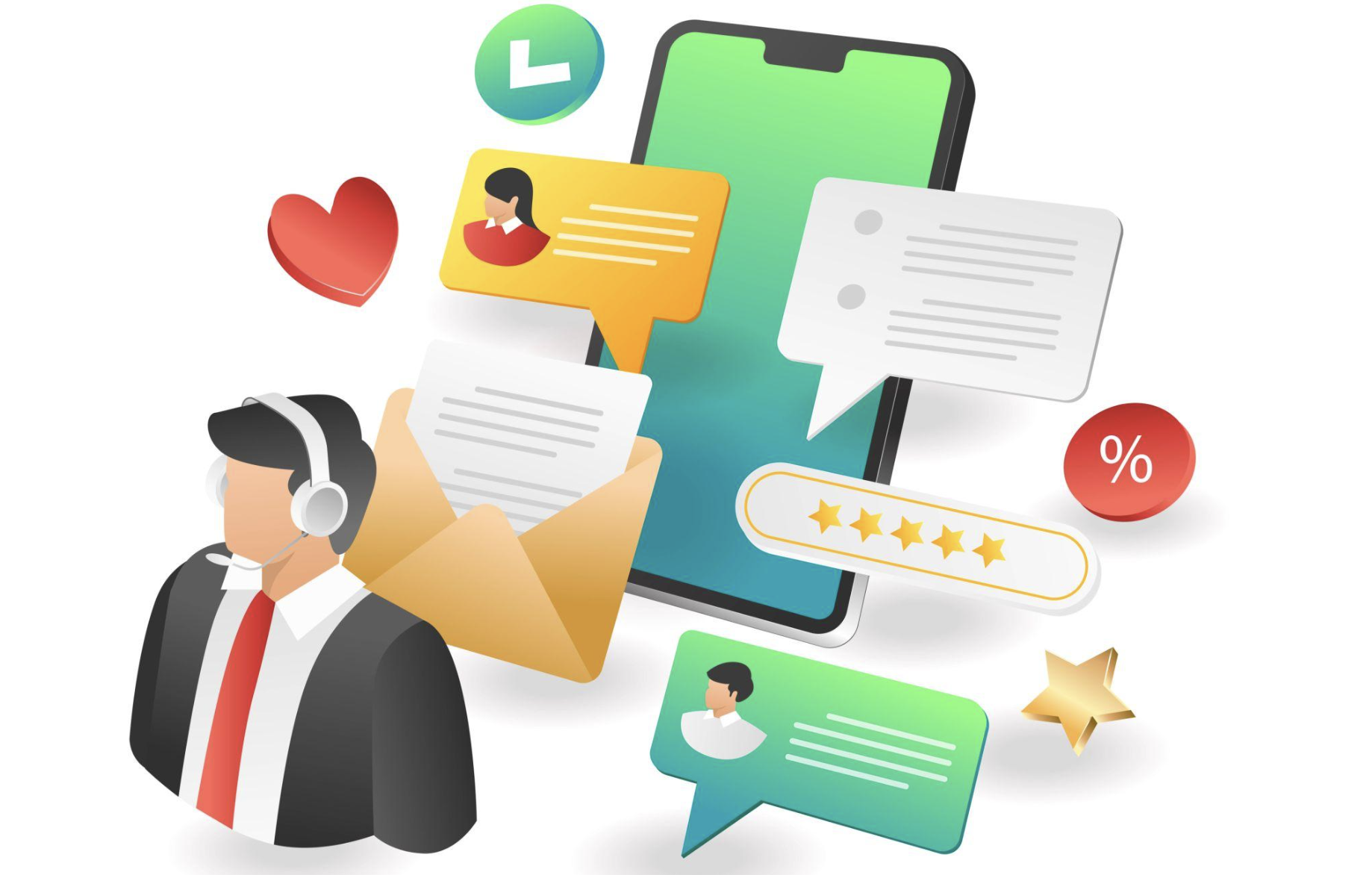
Customer engagement tools are software and communication services that help businesses manage interactions with customers before, during, and after a purchase. They cover channels such as email, SMS, live chat, social media, and in-app messaging, plus feedback and follow-up.
The term covers several distinct functions. CRM software organizes contacts, accounts, opportunities, and relationship history. Customer support software manages questions, tickets, and service conversations. Marketing automation organizes audiences, campaigns, and lifecycle messages. Messaging infrastructure sends or receives communications through APIs or specialized delivery services. Feedback and product-experience tools add another layer: they help teams understand what customers say and do.
Consider an online retailer: its CRM stores customer records, its marketing tool decides when to send a post-purchase campaign, an SMS provider delivers a shipping update, and its support desk handles a customer’s reply. Engagement includes receiving feedback and acting on it—not simply sending more messages. These functions can live in one platform or several.
12 Best Customer Engagement Tools at a Glance
This comparison identifies each product’s main job. Pricing models are not directly comparable across categories.
| Tool | Category | Best For | Key Features | Pricing Model |
|---|---|---|---|---|
| HubSpot | CRM | Connected customer lifecycle workflows | Contact records, Marketing Hub, Service Hub | Free tools; paid seats, tiers and marketing contacts [1] |
| Salesforce | CRM | Complex enterprise customer operations | Sales Cloud, service workflows, automation | Per-user subscription; editions and add-ons [2] |
| Intercom | Customer Support | Conversational customer assistance | Inbox, Messenger, AI agent, workflows | Per seat; AI outcomes and add-ons [3] |
| Zendesk | Customer Support | Ticket-heavy service teams | Ticketing, routing, help center, AI | Per agent; selected usage charges [4] |
| Klaviyo | Marketing Automation | Ecommerce lifecycle campaigns | Segmentation, flows, email, mobile messaging | Profiles/email subscription; separate mobile messaging charges [5] |
| Braze | Customer Engagement | Coordinated cross-channel journeys | Segments, Canvas, in-app and outbound messaging | Custom contract; users/profiles, Action Credits, services [6] |
| Hootsuite | Social Media | Managing multiple social accounts | Publishing, social inbox, listening, reports | Per-user subscription; enterprise pricing [7] |
| Appcues | In-App Engagement | Software onboarding and activation | Flows, checklists, surveys, targeting | Annual subscription tied to active users and experiences [8] |
| Pendo | Product Experience | Product behavior and in-app guidance | Analytics, guides, feedback | Free tier; custom MAU- and feature-based paid plans [9] |
| Typeform | Customer Feedback | Interactive surveys and forms | Logic, surveys, integrations, responses | Subscription with response and seat limits [10] |
| Twilio | Communication APIs | Programmable multichannel messaging | Messaging API, statuses, webhooks | Usage-based; numbers, messages and carrier fees [11] |
| SMSBoosting | SMS Infrastructure | International business SMS | Web SMS, SMS API, message status, Credits | Free trial; Credits via PAYG or subscriptions; custom plans [12] |
Verify current prices, region availability, plan details, and billing terms before purchasing.
How We Selected These Customer Engagement Tools
This is desk research based on publicly available official product information, pricing pages, and documentation, reviewed in November 2026. We did not purchase or independently test all 12 products, interview customers, or assign performance scores. The selection spans distinct engagement functions. SMSBoosting is the publisher’s own product, and its inclusion is disclosed rather than presented as an independent endorsement.
Customer Engagement Features
We prioritized core tasks: relationship management, support, campaigns, delivery, product guidance, and feedback—not feature count.
Communication Channels
We checked SMS, email, live chat, voice, social media, and in-app messaging against each product’s purpose. A survey tool does not need a voice channel.
Automation and AI Capabilities
We considered triggers, routing, workflows, and AI assistance, including plan restrictions and extra charges. AI is not essential to every use case.
Integrations and Technical Requirements
We checked APIs, webhooks, integrations, implementation effort, and whether developers are required.
Pricing and Scalability
We compared seats, contacts, active users, responses, messages, Credits, and add-ons without equating unlike units.
Limitations and Best-Fit Use Cases
Limitations describe product boundaries, packaging, or implementation—not hands-on reliability results.
12 Best Customer Engagement Tools Compared
1. HubSpot — Best for CRM and Customer Lifecycle Management
Best For: Teams connecting sales, marketing, and service records.
Overview: HubSpot combines Smart CRM with products including Marketing Hub and Service Hub. Its platform offers free foundational tools, while advanced automation and service capabilities depend on purchased editions. [1]
Key Features: Contact and company records; sales pipeline management; marketing email and automation; live chat and service tools.
Supported Channels: Email, website forms, live chat, and other channels through applicable HubSpot products or integrations. [1]
Pros: Shared customer context across functions; an accessible free starting point; room to expand into additional Hubs.
Cons / Limitations: Advanced features are not all free; multiple Hubs and contact tiers can increase cost; specialized delivery channels may require additional products or integrations.
Pricing: Free customer-platform tools are available for up to two users; paid plans involve seats, edition differences, and, where applicable, marketing-contact limits. Check current promotional versus standard rates. [1]
Ideal Use Case: A B2B team connects leads, follow-up emails, and support records.
2. Salesforce — Best for Enterprise Customer Relationship Management
Best For: Enterprises with complex sales and service processes.
Overview: Salesforce’s Sales Cloud handles CRM workflows, while products such as Service Cloud support service cases and customer interactions. They are related offerings, not a guarantee that every feature is included in one license. [2] [13]
Key Features: Account and opportunity tracking; pipeline automation; service case management; customizable workflows and integrations.
Supported Channels: CRM-connected email and sales activities, plus service email and chat through relevant products. [13]
Pros: Configurable data structures; extensive opportunities for enterprise integration; sales and service workflows can be coordinated.
Cons / Limitations: Configuration and administration require planning; products and editions have different entitlements; deployment costs may extend beyond licenses.
Pricing: Per-user editions and additional products. Salesforce lists Starter Suite at $25 per user/month and offers higher Sales Cloud editions, including Core, Advanced, and Max. [2]
Ideal Use Case: A sales organization connects account ownership and escalated service cases.
3. Intercom — Best for Conversational Customer Support
Best For: Digital businesses prioritizing conversational support.
Overview: Intercom brings customer conversations into an Inbox and offers Messenger and Fin AI Agent support. Its documentation covers support channels including web and mobile Messenger, email, phone, WhatsApp, SMS, and social messaging, with setup varying by channel. [14]
Key Features: Shared Inbox; customer Messenger; support workflows; AI-assisted issue resolution; conversation handoff.
Supported Channels: Messenger, email, phone, WhatsApp, SMS, and supported social channels. [14]
Pros: Conversation-centered interface; AI and human support in the same service workflow; multiple inbound support channels.
Cons / Limitations: Primarily a support platform rather than a full CRM; Fin and certain advanced capabilities add cost; supported channels require proper configuration.
Pricing: Seat-based Intercom plans, with Fin AI Agent outcomes and optional add-ons priced separately. [3]
Ideal Use Case: A SaaS team routes unresolved chat questions to human agents.
4. Zendesk — Best for Customer Service and Ticket Management
Best For: Service teams managing assignable support requests.
Overview: Zendesk centers on tickets, agent workflows, routing, and help-center support. Its messaging and AI capabilities extend service operations, but this is not a complete lifecycle marketing platform. [15]
Key Features: Ticket queues; omnichannel routing; knowledge base; macros and automation; AI assistance.
Supported Channels: Email, chat/messaging, voice, and supported social service channels, depending on products and setup. [15]
Pros: Clear ownership of requests; repeatable support processes; self-service options alongside agent support.
Cons / Limitations: Marketing campaigns require other tools; premium AI or workforce features may cost extra; workflows and permissions need administration.
Pricing: Primarily per-agent subscription tiers, with additional usage-based capabilities and optional add-ons. [4]
Ideal Use Case: A retailer assigns returns, delivery questions, and escalations.
5. Klaviyo — Best for Ecommerce Lifecycle Marketing
Best For: Commerce brands automating lifecycle campaigns.
Overview: Klaviyo combines customer data, segmentation, and automated marketing flows across email and supported mobile channels. Its automation can respond to customer behavior rather than only fixed send dates. [16]
Key Features: Customer segments; automated flows; personalized email; SMS campaigns; campaign reporting.
Supported Channels: Email, SMS where available, and additional supported mobile channels. SMS country availability is restricted to Klaviyo’s published list. [16] [17]
Pros: Ecommerce-oriented lifecycle workflows; unified segmentation; email and SMS can be coordinated.
Cons / Limitations: SMS is not available in every country; costs change with profiles and sending; channel-specific consent and setup matter.
Pricing: Free and paid marketing tiers, with profile/email allowances and separate mobile messaging charges. Klaviyo moved mobile messaging away from its former SMS-credit model to dollar-based message pricing in July 2026. [5] [18]
Ideal Use Case: A retailer follows welcome emails with consented SMS offers.
6. Braze — Best for Cross-Channel Customer Engagement
Best For: Teams coordinating journeys across several channels.
Overview: Braze combines user profiles, dynamic segmentation, campaigns, and Canvas journeys that can branch based on customer activity. [19]
Key Features: Behavioral segments; Canvas orchestration; personalization; campaign triggers; conversion events.
Supported Channels: Email, push, SMS, in-app messages, Content Cards, and additional documented channels subject to implementation. [20]
Pros: One workflow can coordinate multiple touchpoints; behavior-informed segmentation; extensive channel options.
Cons / Limitations: Data instrumentation and campaign governance require resources; availability depends on contract and configuration; it is more complex than a single-purpose messaging tool.
Pricing: Contact-sales contracts combine a platform edition, monthly active users and profiles, Action Credits, and services; certain products are add-ons. [6]
Ideal Use Case: An app coordinates onboarding, push, and email based on user actions.
7. Hootsuite — Best for Social Media Engagement
Best For: Teams managing multiple social accounts.
Overview: Hootsuite centralizes social scheduling, engagement, analytics, listening, and collaboration in a social management interface. [21]
Key Features: Content calendar; publishing; social Inbox; social listening; analytics and approvals.
Supported Channels: Connected social networks and supported social messaging surfaces, which vary by network and plan. [21]
Pros: Multi-account oversight; coordinated publishing and replies; social reporting in the same workspace.
Cons / Limitations: It is not a standalone CRM or SMS API; advanced inbox and governance features can be plan-restricted; social-network permissions affect what teams can manage.
Pricing: Per-user Standard, Professional, and Advanced subscriptions, with monthly or annual billing, plus enterprise arrangements. [7]
Ideal Use Case: A brand team schedules posts and assigns social questions.
8. Appcues — Best for User Onboarding and In-App Engagement
Best For: Software teams improving onboarding and activation.
Overview: Appcues creates behavior-targeted in-product experiences such as flows, checklists, banners, and surveys. Once the product is installed, teams can publish many experiences without new code changes. [22]
Key Features: Product tours; activation checklists; embedded guidance; audience targeting; in-app feedback.
Supported Channels: Web and mobile product experiences, with email and push options in supported workflows. [22]
Pros: Contextual guidance inside the product; audience targeting based on behavior; product teams can update experiences without repeated engineering releases.
Cons / Limitations: Initial installation still needs technical attention; not a general-purpose call center or SMS provider; usage and published-experience allowances matter.
Pricing: Grow starts at $9,000 per year and scales by active users and experience limits; Enterprise uses custom pricing. [8]
Ideal Use Case: A SaaS app guides administrators through setup.
9. Pendo — Best for Product Analytics and In-App Engagement
Best For: Product teams investigating adoption and friction.
Overview: Pendo combines product analytics with in-app guides, feedback, and related product-experience capabilities. Usage data can inform which users see a guide. [23]
Key Features: Product usage analytics; funnels and paths; user segments; in-app guides; feedback collection.
Supported Channels: Primarily in-app experiences on supported web and mobile products, rather than general outbound communication. [23]
Pros: Connects behavioral evidence with contextual guidance; helps locate onboarding friction; supports product-specific feedback.
Cons / Limitations: Requires product instrumentation; usage does not by itself prove satisfaction or retention; some functionality is plan-dependent.
Pricing: Free includes core analytics and guides for up to 500 monthly active users; paid Base, Core, and Ultimate plans require pricing requests and depend on MAUs and capabilities. [9]
Ideal Use Case: A product team guides trial users through abandoned setup steps.
10. Typeform — Best for Customer Surveys and Feedback Collection
Best For: Teams collecting feedback and lead data.
Overview: Typeform specializes in interactive forms and surveys, with conditional logic and integrations that can pass responses to other systems. [24]
Key Features: Survey and form builder; branching logic; response collection; templates; app integrations.
Supported Channels: Shareable and embedded web forms; follow-up in email, chat, or SMS requires separate distribution processes or integrations.
Pros: Focused feedback collection; flexible question paths; responses can feed CRM and workflow tools.
Cons / Limitations: Not a complete messaging or CRM platform; response caps may constrain campaigns; advanced collaboration and branding depend on plan.
Pricing: Free and paid subscriptions, with monthly response allowances, user limits, and enterprise pricing. [10]
Ideal Use Case: A business surveys customers after an appointment.
11. Twilio — Best for Programmable Customer Communications
Best For: Developers embedding messages in business software.
Overview: Twilio’s Programmable Messaging API supports channels including SMS, MMS, RCS, and WhatsApp, with message statuses and errors available for application handling. Other engagement capabilities exist in separate Twilio products. [25]
Key Features: Programmable sending; delivery status and error handling; multichannel API; messaging integrations; configurable application logic.
Supported Channels: SMS, MMS, RCS, and WhatsApp through the applicable Messaging APIs. [25]
Pros: Developer control over message triggers; multiple communication channels; status data for application workflows.
Cons / Limitations: API implementation needs development resources; it is not automatically a complete campaign dashboard; registration and regional channel rules require attention.
Pricing: Usage-based charges can include message segments, sender numbers, carrier fees, and separate product-specific usage. [11]
Ideal Use Case: An app sends delivery updates and records status callbacks.
12. SMSBoosting — Best for SMS API and International Business Messaging
Best For: Teams adding international SMS to software or workflows.
Overview: SMSBoosting, the publisher of this article, provides Web SMS and SMS API sending for promotional messages, notifications, and OTP delivery. Supported API and MCP interfaces also allow externally developed AI agents to access SMS operations; SMSBoosting does not build or host those agents. [26] [12]
Key Features: Web and API sending; bulk and international SMS; message records and delivery status; shared Credits wallet; plan-dependent API, webhook, and agent controls.
Supported Channels: SMS. Email, voice, and broad social messaging are not presented as its native core service. [26]
Pros: Web and developer entry points; focus on international business SMS; usage controls and shared Credits on applicable plans.
Cons / Limitations: Not a CRM, help desk, or omnichannel campaign orchestrator; OTP delivery is not a complete authentication system; delivery is not guaranteed in every destination.
Pricing: Limited trial, pay-as-you-go Credits, subscriptions, and custom enterprise quotes. Credit consumption changes by destination and routing; one Credit does not necessarily equal one SMS. Review SMSBoosting pricing and plan-specific capabilities. [12]
Ideal Use Case: A SaaS platform sends international account alerts alongside its CRM.
Types of Customer Engagement Tools
Each category handles a different task; no platform needs every capability.
| Tool Category | Main Purpose | Example Tools | Best Use Case |
|---|---|---|---|
| CRM | Maintain customer records and relationship history | HubSpot, Salesforce | Coordinate sales and account follow-up |
| Customer Support and Live Chat | Resolve questions and manage tickets | Intercom, Zendesk | Organize service requests and escalation |
| Marketing Automation | Segment audiences and trigger lifecycle campaigns | Klaviyo, Braze | Welcome, retention, and re-engagement programs |
| SMS and Messaging | Deliver communications through web tools or APIs | Twilio, SMSBoosting | Alerts, OTP delivery, and business texts |
| Social Media Engagement | Publish and respond on social networks | Hootsuite | Manage multi-account social conversations |
| In-App Engagement and Product Analytics | Explain features and study product behavior | Appcues, Pendo | Improve onboarding and feature adoption |
| Customer Feedback and Surveys | Collect structured customer input | Typeform | Gather post-service or product feedback |
CRM Tools
A CRM stores customer identity, relationship history, account ownership, and next steps. It may also offer engagement features.
Customer Support and Live Chat Tools
Support tools connect incoming questions, ownership, service history, and escalation so requests receive accountable responses.
Marketing Automation Tools
Marketing automation turns customer events into campaigns. Check segmentation, frequency controls, triggers, and included channels.
SMS and Messaging Tools
Messaging tools deliver supported communications through interfaces or APIs. For SMS-specific comparisons, consult this SMS marketing platform comparison. Two-way messaging differs from notifications; see conversational SMS.
Social Media Engagement Tools
Social tools handle publishing, messages, mentions, and team activity, subject to network access.
In-App Engagement and Product Analytics Tools
In-app guidance reacts to product usage. Analytics captures behavior, not necessarily satisfaction.
Customer Feedback and Survey Tools
Surveys collect opinions that teams can investigate and act on.
How to Choose the Right Customer Engagement Tools
-
Step 1 — Identify Your Customer Engagement Goals
Match goals to tools: CRM for acquisition follow-up, in-app guidance for onboarding, ticketing for support, marketing automation for retention and re-engagement, and surveys for feedback. Define the next action.
-
Step 2 — Choose the Channels Your Customers Actually Use
Match channels to tasks: SMS for alerts, email for detail, live chat for help, social media for conversations, and in-app prompts for active product users. Assign response ownership.
-
Step 3 — Evaluate Automation and Integration Needs
Map triggers, customer data, message delivery, and status records. Confirm whether connections are native, partner-built, or custom APIs/webhooks, and who maintains them.
-
Step 4 — Compare Pricing and Total Cost
Estimate seats, contacts, active users, responses, messages, carrier fees, AI, add-ons, integration, and maintenance at normal and high usage.
-
Step 5 — Check Reporting and Measurement Capabilities
Delivery shows a communication’s transmission status; response records a customer action; engagement describes interaction; conversion ties activity to a business goal; retention measures continued use or purchasing over time. Do not treat a delivered text or opened message as proof of a sale. Confirm which metrics the vendor exposes and which require your own analytics.
-
Step 6 — Match the Tool to Your Team’s Capabilities
Small, nontechnical teams may prefer simple interfaces; developers may prefer APIs. Enterprises should assess permissions, data ownership, training, and administration.
Business Goal Recommended Tool Category Example Tools Why Centralize customer relationships CRM HubSpot, Salesforce Gives teams consistent account context Reduce unresolved service requests Customer Support Intercom, Zendesk Provides conversations, assignment, and escalation Automate ecommerce follow-up Marketing Automation Klaviyo, Braze Links customer behavior to campaigns Deliver automated business texts Messaging Infrastructure Twilio, SMSBoosting Adds programmable delivery to existing systems Manage social questions Social Media Hootsuite Coordinates publishing, monitoring, and replies Improve software activation In-App / Product Analytics Appcues, Pendo Guides users and identifies friction Collect service feedback Survey Tools Typeform Turns customer opinions into structured inputs
How SMS Fits Into Your Customer Engagement Strategy
SMS is a channel, not a replacement for CRM, marketing strategy, or support. Its role depends on the trigger and follow-up. For a broader treatment, see SMS customer engagement.
SMS for Transactional Notifications
Order confirmations, shipping updates, payment reminders, and appointments work best with clear next steps and recognizable senders. Teams building automated notifications can explore transactional SMS API workflows.
SMS for Marketing and Customer Re-engagement
SMS can support promotions, event reminders, and re-engagement, but permission and relevance matter. Record marketing consent where required, provide the applicable opt-out mechanism, and respect country-specific sending rules. Klaviyo’s country documentation illustrates how supported markets and legal conditions differ. [17] [27]
SMS for OTP and Account Verification
SMS providers deliver login, registration, or account-verification passcodes. Applications still need code generation, validation, expiration, retries, and security controls; sending is not complete authentication.
Connecting SMS With CRM and Marketing Tools
A practical workflow might begin with a CRM record, continue through a marketing or application trigger, and call an SMS API to send the text. When supported, the business can process delivery-status callbacks and store the outcome. This requires checking actual APIs and connector behavior; two services do not necessarily integrate natively simply because both support SMS.
When to Use an SMS API Provider
Use an SMS API for triggered messages, international notifications, or custom sending logic. SMSBoosting can provide the sending layer through its web and API options, including plan-dependent status and agent-access controls, while other systems retain responsibility for customer data, campaigns, support, and authentication. [12] [26]
For business SMS, compare destinations, routes, costs, and integrations. You can also contact SMSBoosting support on Telegram about its SMS capabilities.
Common Mistakes When Choosing Customer Engagement Software
Choosing Tools Based Only on Feature Count
More features can add cost without solving the problem. Prioritize essential workflows.
Ignoring Integration Requirements
Separate products do not integrate automatically. Check data mapping, APIs, errors, and maintenance ownership.
Confusing Message Delivery With Customer Engagement
Delivery confirms neither response nor conversion. Measure subsequent actions where possible.
Underestimating the Total Cost
Budget for seats, contacts, messages, AI, and integration at projected annual volumes.
Overlooking Customer Preferences and Compliance
Unwanted messages can damage trust and raise compliance risks. Respect preferences, consent, opt-outs, and local rules. [27]
Expecting One Tool to Do Everything
A CRM, help desk, marketing platform, and API overlap but serve different tasks. Add specialists only for real gaps.
FAQ
What are customer engagement tools?
They help businesses communicate, manage relationships, support users, and collect feedback through CRM, help desks, automation, APIs, and surveys.
What are the best customer engagement tools for small businesses?
Start with the goal: HubSpot for CRM, Zendesk or Intercom for support, Typeform for surveys, or an SMS API for automated texts. Avoid unnecessary products.
What is the difference between CRM and customer engagement software?
CRM organizes customer records; engagement software also covers service, campaigns, messaging, guidance, and feedback.
Are there free customer engagement tools?
Yes. HubSpot offers free platform tools, Pendo has a limited free tier, and Typeform offers a free plan. Availability, usage ceilings, and paid feature boundaries differ. [1] [9] [10]
Can customer engagement tools use AI?
Yes. Depending on plan, AI can help with support, content, targeting, and analysis; charges vary. [3] [4] [6]
Is SMS a customer engagement tool?
SMS is a channel. SMS platforms and APIs are tools that let businesses use it for notifications, marketing where permitted, and OTP delivery within a larger customer workflow.
How do customer engagement tools improve customer retention?
They can support timely service, follow-up, feedback, and product guidance, but cannot guarantee retention gains.
Do businesses need more than one customer engagement tool?
Not necessarily. One suite may suffice; complex businesses may combine specialized tools and integrate key workflows.