

An SMS platform helps businesses run texting as a repeatable channel—not just send messages through an API. Companies often use SMS for customer communication, including alerts, authentication codes, and promotional campaigns that support their broader SMS marketing strategies. It adds the controls, reporting, reply handling, and operational safeguards that keep campaigns stable as you scale across countries, carriers, and customer segments.
If you’re new to telecom, here’s the simplest way to frame it: sending is not the hard part. Everything around sending is.
What Does an SMS Platform Do?
Most teams start with the same mental model:
- “If the API request succeeds, the message is done.”
- “If results dip, the copy must be the problem.”
- “If delivery drops, we’ll just retry.”
That can work for tiny tests. It breaks when SMS becomes a weekly (or daily) channel—especially when you send across multiple countries and carriers.
Because business SMS doesn’t behave like a single, predictable pipe. It behaves like a system with rules: pacing limits, filtering, sender requirements, opt-out expectations, and differences by operator and region.
An SMS platform exists to make those rules manageable. Not perfect. Manageable.
What Is an SMS Platform?
A good SMS platform is what turns:
“We can send a text”
into
“We can run messaging every week—with guardrails, reporting, and a way to debug what changed.”
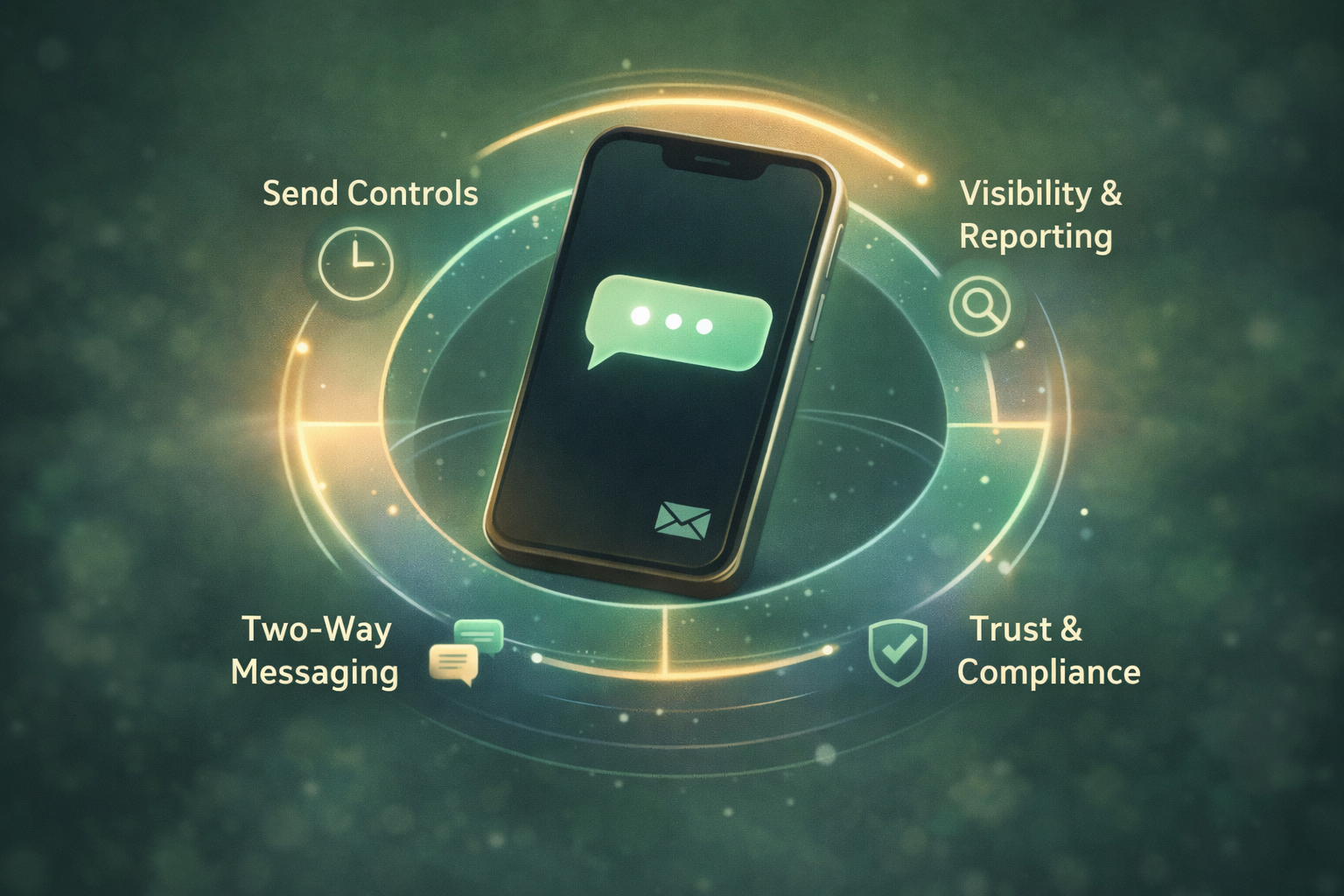
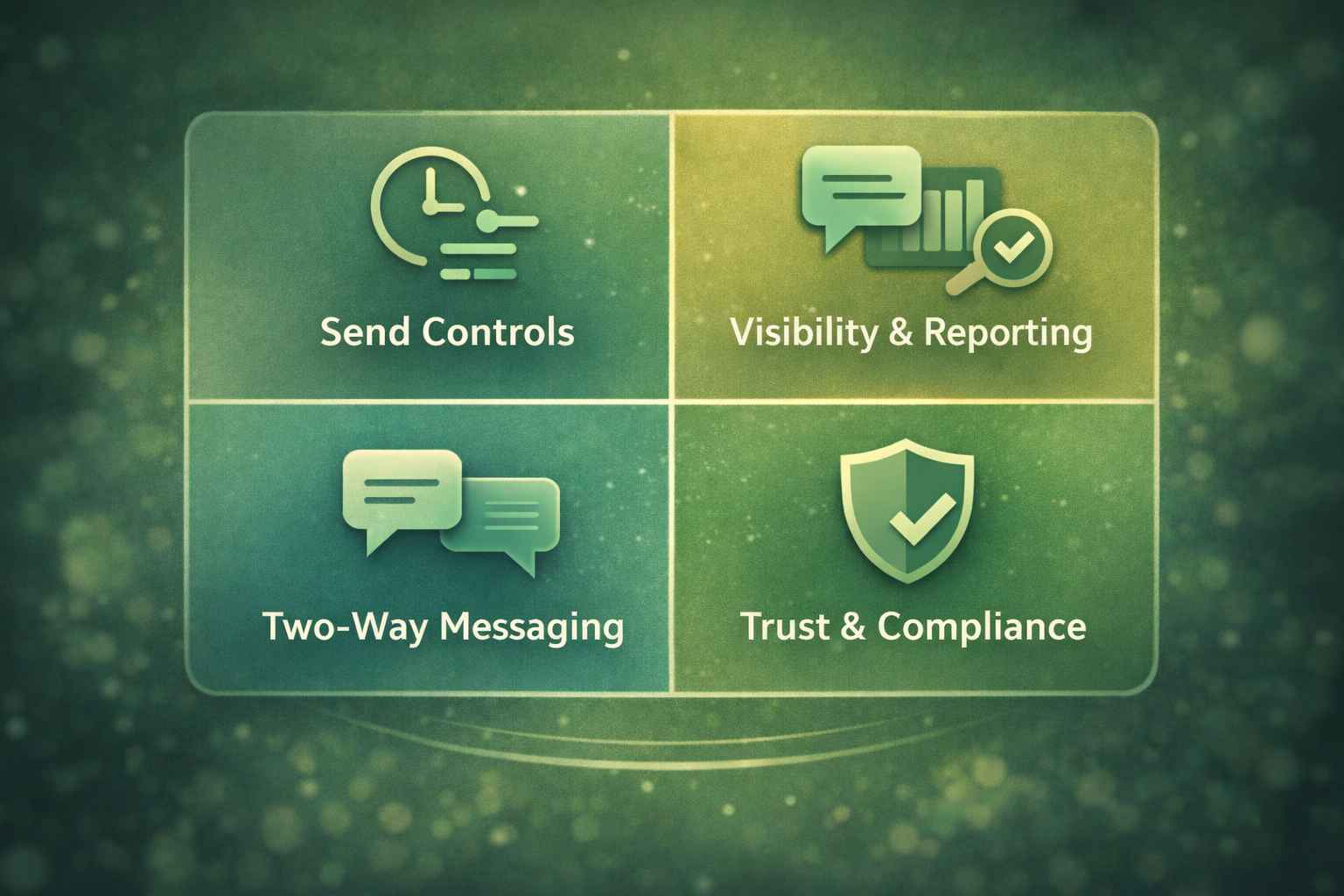
In business terms, it typically helps you with four things:
1. Send controls (timing, pacing, frequency limits)
2. Visibility and reporting (delivery receipts, failure patterns, outcome tracking)
3. Two-way messaging (replies, keywords, routing to a human or workflow)
4. Trust and compliance hygiene (opt-outs, consent handling, content patterns that reduce complaints)
You don’t need to implement everything on day one. But once you’re operating at scale, you need the platform layer—not just the ability to submit messages.
SMS API vs SMS Platform: What’s the Difference?
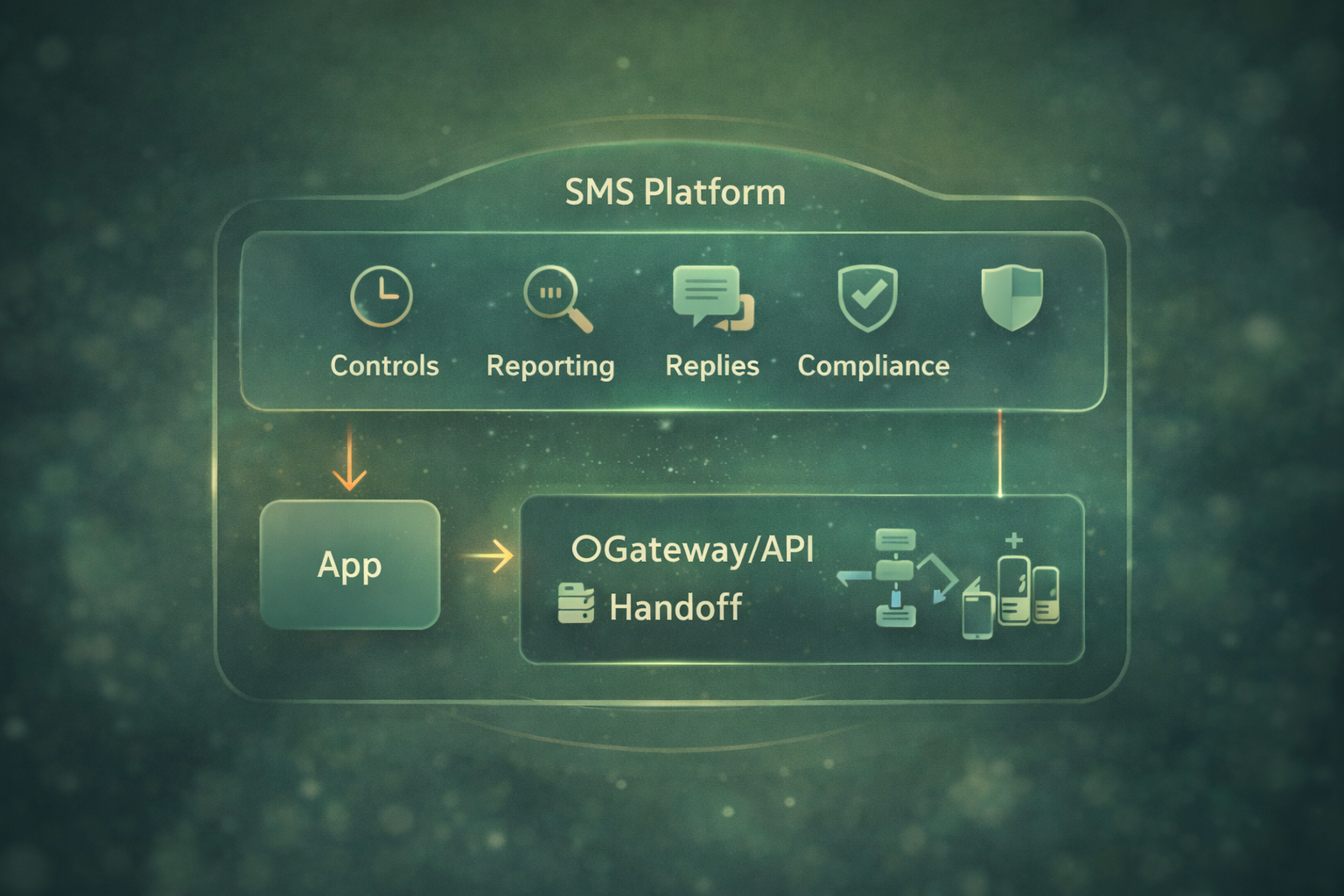
Think of an SMS gateway or basic SMS API as the handoff layer: it accepts your request and passes the message into downstream routes. If you want a deeper explanation of the technical differences, see our guide on the difference between an SMS platform and an SMS API.
It accepts the message you send, puts it into the delivery system, and sends it on its way. Once that package leaves the room, the mailroom’s job is mostly done.
An SMS platform works more like the operations center around that mailroom. It controls when messages go out, tracks what happens after delivery, routes replies to the right place, and helps your team understand why results change over time.
In other words, the gateway moves the message. The platform helps you run messaging as an actual business channel.
When a Simple Handoff Layer Is Enough
A basic gateway/API can be enough when:
- You’re sending low volume to one region
- You don’t need reply handling
- Your program isn’t tied to business outcomes yet (no serious measurement, no automation)
- You can tolerate occasional inconsistency (because it’s not business-critical)
For example, a simple internal alert system or a basic SMS notification service that sends delivery updates or appointment reminders may only require a basic SMS API in the early stages.
When an Operating Layer Becomes Non-Negotiable for Business SMS
You usually need the platform layer when:
- SMS is tied to revenue, retention, or support outcomes
- You send across multiple countries or carriers
- You run campaigns regularly (weekly/daily)
- You need measurable performance (delivery, clicks, replies, opt-outs)
- You need guardrails to protect customer experience
In other words: when you can no longer afford to treat SMS as a one-off send.
What Capabilities Should an SMS Platform Provide?
Below is the capability map that matters for non-technical teams. You don’t need to memorize terms. Just use it to answer: Can we run SMS reliably, repeatedly, and explain what happened when it changes?
Send Controls That Protect Customer Experience
Send controls are the tools that decide when messages go out and how quickly they are delivered.
This matters more than many teams expect. If messages go out too quickly, carriers may slow delivery. If they arrive at the wrong time of day, customers may complain or opt out. When results drop, teams often blame the message copy or the audience list.
In reality, the issue is often timing.
For example, sending 100,000 messages within a few seconds can create congestion on certain routes. A platform that manages pacing spreads that traffic out so messages arrive more consistently.
Starter controls you’ll use early:
Scheduling (send at a specific time, by customer time zone)
Frequency limits/pacing (avoid blasting too many messages too fast)
Quiet hours (avoid late-night sends that spike complaints)
Basic grouping/segmentation (even simple lists: new vs returning users)
Some platforms also support A/B testing. Treat that as a “nice-to-have” early on—your first wins usually come from timing, targeting basics, and cleaner measurement.
Visibility and Reporting That Explain Delivery
What it is: the ability to see what happened after the API call—beyond a single “success” status.
Why business teams care: when performance drops, you need to know whether the problem is delivery, timing, audience quality, filtering, or something else.
What you should be able to see:
- Delivery receipts (DLRs) when available
- Failure categories (not just “failed”)
- Trends by country/carrier (the “where” matters)
- Campaign-level reporting (so outcomes don’t get lost in raw logs)
This is where an SMS platform earns its keep. Without visibility, you’ll spend time arguing about guesses.
Two-Way Messaging That Handles Replies
What it is: tools that handle inbound replies and route them to the right place—automation, support queues, or a human.
Why business teams care: replies are where SMS becomes more than a broadcast.
Even simple two-way flows can reduce tickets and increase conversions. For example, authentication flows often rely on OTP SMS messages where customers receive a one-time code to verify their identity.
For example, a customer might receive a shipping notification and reply “1” to confirm delivery or “2” to reschedule. Instead of opening a support ticket, the system can route that reply automatically and update the order.
Small interactions like this reduce support volume and make SMS feel less like a broadcast channel and more like a conversation.
Beginner-friendly patterns:
- “Reply 1 to confirm / 2 to reschedule”
- Keyword-based routing (“HELP”, “STOP”, “ORDER”, “AGENT”)
- Auto-replies with a clear next step
- Human handoff when the request is complex
You don’t need a complicated chatbot to start. Most teams get value from reliable routing + predictable prompts.
Trust and Compliance Hygiene
What it is: operational safeguards that keep your program aligned with consent expectations and carrier policies.
Why business teams care: complaints and opt-outs don’t just reduce engagement—they can hurt deliverability over time.
Practical hygiene a platform should support:
- Clear STOP opt-out handling (and honoring it)
- HELP behavior that directs users to support
- Consent/permission tracking (at least at the program level)
- Message pattern stability (avoid sudden changes that look suspicious)
- Guardrails against over-messaging
This isn’t about legal fine print. It’s about preventing avoidable friction that makes SMS less effective.
It’s also important to understand the limits of platform control. Carriers, local regulations, and user behavior still influence final outcomes. Our guide on what an SMS platform cannot control explains these boundaries in more detail.
Why Does a Simple SMS API Start to Break at Scale?
Here’s the moment many teams hit: everything works in a small test, then gets weird when volume grows or destinations expand.
Common Symptoms Businesses Notice
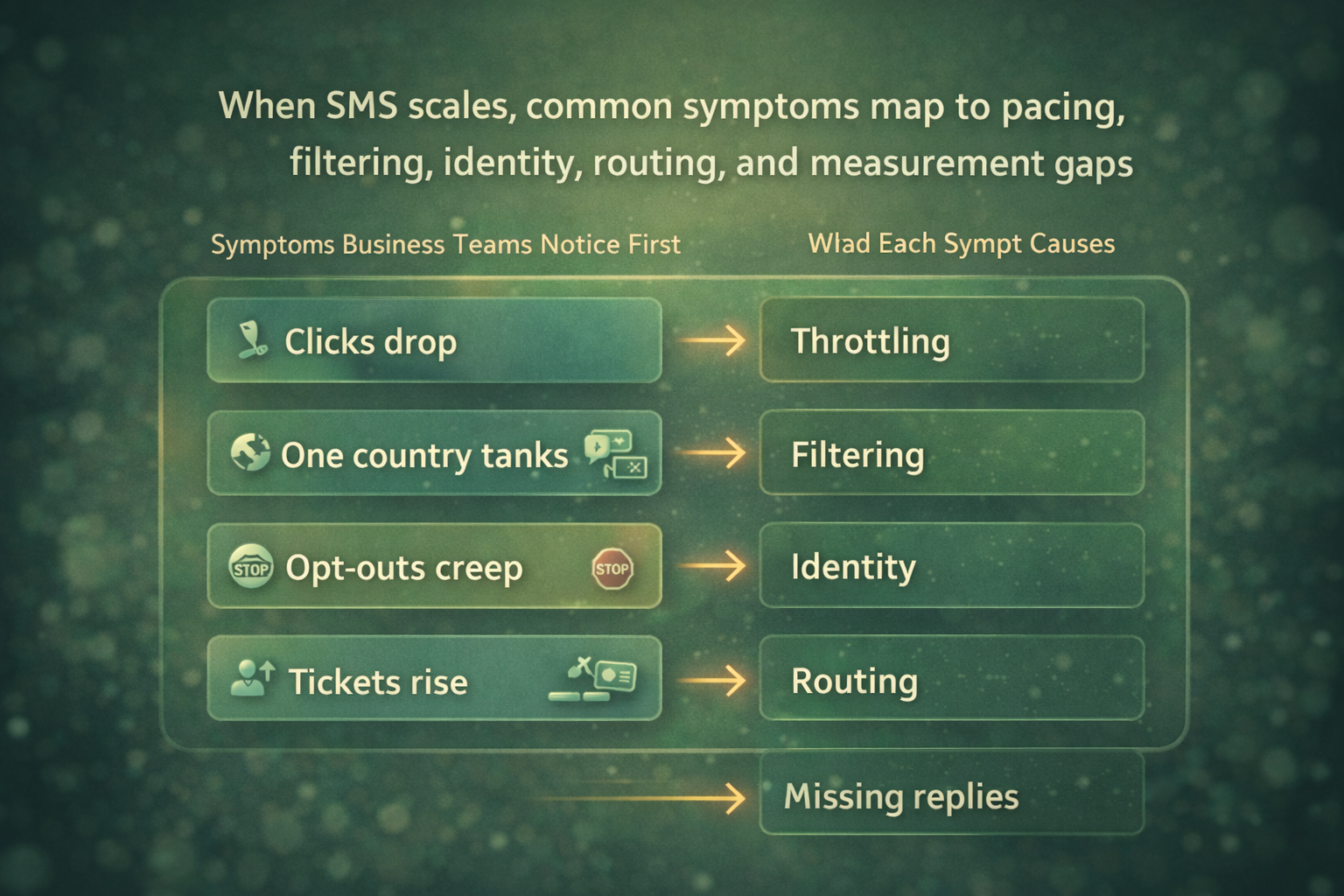
- Delivery looks fine in logs, but results drop (clicks/replies/conversions)
- One country performs well, another suddenly tanks—same copy, same list quality
- Opt-outs creep up even though you didn’t “do anything different”
- Support tickets increase (“I didn’t request this”, “stop messaging me”)
- A carrier-specific issue appears and you can’t isolate it
What These Symptoms Usually Mean
Common underlying causes include:
- Pacing limits or throttling (too fast, too dense, wrong windows)
- Filtering changes (carrier rules shift, route quality changes, patterns trigger)
- Sender identity requirements (region-specific expectations)
- Inconsistent routing (performance varies by path)
- Missing reply handling (customers try to respond; you don’t see it)
- No measurement layer (you can’t tell delivery problems from engagement problems)
None of this requires you to become a telecom expert. It requires the right controls and visibility.
SMS Platform Checklist for Business Teams
Use the checklist below to evaluate your current setup or compare SMS providers.
You don’t need to understand telecom jargon to use it. These questions simply reveal whether your team can run SMS reliably and explain what happens when performance changes.
Minimum Features for Your First SMS Program
- You can schedule sends and respect customer time zones
- You can set basic pacing/frequency limits
- You can receive and interpret delivery receipts (where available)
- You can view outcomes by destination (at least country-level)
- STOP opt-out handling is reliable and enforced
- You can track basic engagement (clicks or replies) tied to campaigns
Advanced Capabilities for Growing SMS Programs
- Deeper carrier-level visibility (where possible)
- Failure category breakdowns that suggest what to change
- Two-way routing with keyword workflows and human handoff
- Link management and safer tracking patterns
- A clear process for route changes, monitoring, and escalation
Where to Learn More About SMS Platforms
If your team is still mixing up gateway, API, and platform, your pillar page is the right next read: What an SMS Platform Really Is (and What It Is Not).
Tip: If your team is unsure whether your current setup can support higher SMS volume, a short infrastructure review can help.
Many companies discover pacing limits, routing inconsistencies, or missing reply handling only after campaigns grow. At SMS Boosting, our team regularly helps businesses evaluate their messaging setup before those issues appear at scale.
FAQs
1. Do I Need an SMS Platform if I Can Already Send via API?
If SMS is occasional and low-stakes, maybe not. But if SMS is becoming a repeatable business channel—especially cross-border—you’ll quickly need controls, reporting, and reply handling. That’s the platform layer.
2. What’s the Difference Between Delivery, Deliverability, and “Sent”?
Sent/accepted: your request was received (by your provider or upstream system)
Delivered: a delivery receipt indicates it reached the device (when available)
Deliverability: the overall likelihood your messages consistently reach inboxes across carriers and countries (affected by hygiene, routing, filtering, identity, and complaint patterns)
3. What Are Delivery Receipts (DLRs), and Why Do They Matter?
A delivery receipt is a status signal that (when supported) helps you distinguish “we submitted it” from “it reached the phone.” DLRs are not perfect, but they’re critical for debugging patterns at scale.
4. Do I Need Two-Way SMS, or Is One-Way Enough for Beginners?
One-way can be fine for basic notifications or early marketing tests. Two-way becomes valuable when you want confirmations, support deflection, lead qualification, or feedback. Start with one or two simple reply flows, not a big automation project.
5. How Should Opt-Out and HELP Handling Work in Practice?
At minimum: STOP should stop future messages, consistently. HELP should guide users to support. A platform should make these behaviors reliable and visible (so you can prove you honored them).
6. What Metrics Should a Beginner Team Track First?
Start small:
Delivery rate (when available) and failure categories
Click-through rate (if you use links) or response rate (if you use replies)
Opt-out rate (a key trust signal)
Then improve one variable at a time: timing, frequency, audience segment, or message clarity.
7. Are Short Links Safe for Business SMS, and How Should They Be Used?
Short links can be safe, but they require care. Keep domains consistent, make links clearly branded when possible, and avoid patterns that look suspicious. A platform that supports link tracking and reporting helps you measure outcomes without guessing.
What to Ask Before Scaling Business SMS
If you’re evaluating providers (or auditing your current setup), these questions reveal real capability fast.
Questions That Reveal Real Send Controls
- Can we set pacing and frequency limits per campaign or segment?
- Can we enforce quiet hours by recipient time zone?
- Can we schedule sends and throttle bursts safely?
Questions That Reveal Real Debugging and Reporting
- Can we see delivery and failures by country (and ideally by carrier when possible)?
- Do we get meaningful failure categories—not just “failed”?
- Can we compare performance week-over-week without exporting raw logs?
Questions That Reveal Real Reply Handling and Support Workflows
- How are inbound replies routed and stored?
- Can we set simple keyword flows and human handoff?
- How do STOP and HELP get enforced and audited?
Optional Next Step: Do a Capability-Gap Review Before You Scale
If your SMS program is moving from “occasionally send” to “run it every week,” a quick capability-gap review can save you months of reactive debugging.
A useful review is not a sales pitch. It’s a structured check of:
- Your target countries and growth plan
- The send controls you’ll need (timing, pacing, frequency)
- The reporting you’ll rely on to explain performance
- Whether you need two-way handling now—or later
If you want, you can run this internally using the checklist above—or bring a messaging specialist in to pressure-test your setup before volume increases.



