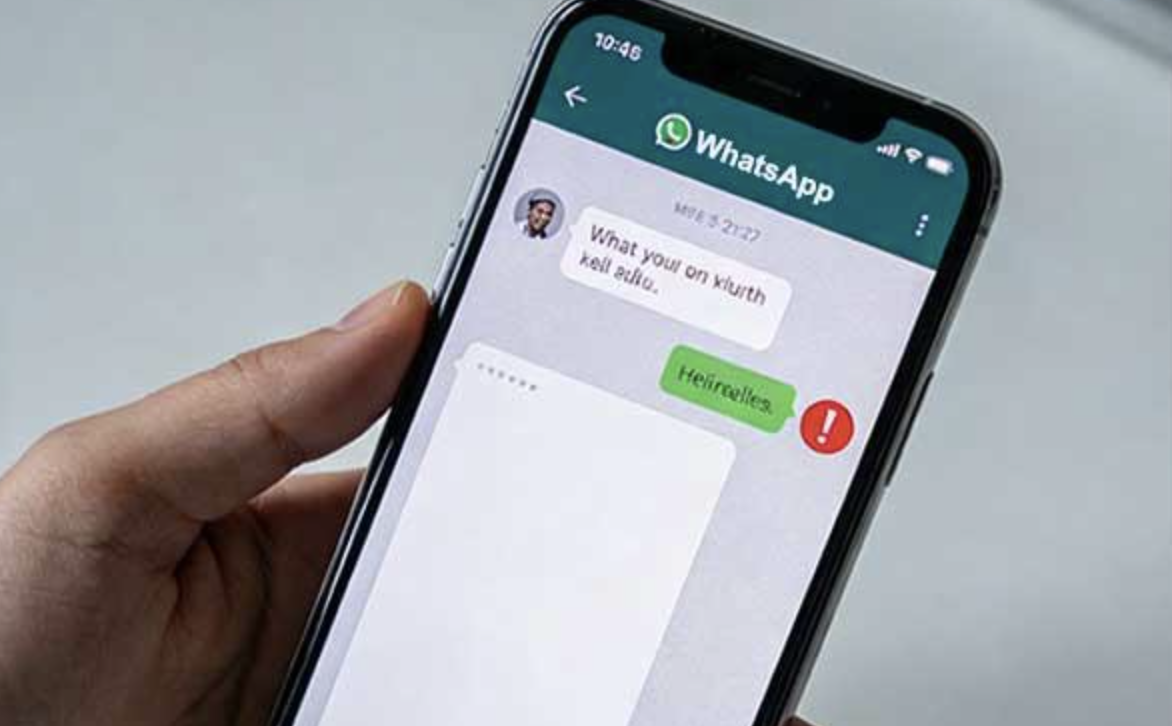
A “Text Message Not Sent” error means the phone or service reported an unsuccessful send attempt. Possible causes include an inactive cellular line, incorrect number, iMessage or RCS issue, or app error. Start with one short test text, then identify where sending failed.
What Does "Text Message Not Sent" Mean?
“Message Not Sent” or “Failed to Send” indicates a reported sending problem. A red warning after you tap Send means the attempt did not finish normally; it does not identify the failure point.
The terms are related, not interchangeable:
| Status or alert | What it generally indicates |
|---|---|
| Message Not Sent / Failed to Send | The current send attempt was reported as unsuccessful. |
| Sent | The app or service completed a defined sending stage; recipient receipt is not necessarily confirmed. |
| Not Delivered | The app or service cannot confirm delivery or has reported a downstream delivery failure. |
These labels are not universal. SMS uses carrier texting; MMS supports media and some group chats with additional requirements. iMessage and RCS use internet-based services. The app may select the method according to the conversation and supported features.
Failures can originate in the device, app, network, or provider. An error may appear even after processing began, so it cannot prove the recipient received nothing. For problems after sending, see Why SMS Messages Are Not Delivered for that separate problem.
Quick Fixes for a Text Message That Won’t Send
Try this Quick Fix Checklist before changing advanced settings:
- Check your cellular connection. Turn off Airplane Mode, look for service bars or a “No Service” alert, and check whether your carrier line is connected. Working Wi-Fi alone does not guarantee ordinary SMS will send.
- Verify the recipient’s phone number. Check every digit. For international texts, confirm the correct country code and international format, typically beginning with
+. - Check your SIM or eSIM. Confirm the line is enabled, including on dual-SIM phones, and your account permits the message.
- Restart the app or phone. Close and reopen the messaging app; restart the device if needed. This cannot fix carrier restrictions.
- Send one simple test. Try a short, plain-text message to a trusted contact who expects it. Avoid repeating important or chargeable messages.
- Identify the messaging method. Check whether the conversation is using SMS, iMessage, RCS, or MMS. Use SMS fallback only if available and appropriate.
| Problem | Quick Check | Recommended Action |
|---|---|---|
| All texts fail | Cellular line and account status | Confirm service, SIM/eSIM, and carrier permissions. |
| One number fails | Saved number and country code | Correct the contact and test another known number. |
| Chat message fails | iMessage or RCS connection | Check service status and an available SMS option. |
| Pictures fail, text works | Message type | Investigate MMS, mobile data, and plan support. |
8 Common Reasons Your Text Message Is Not Sending
1. Weak Cellular Signal or Network Connection
Problem: Messages fail underground or with “No Service.”
Why It Happens: SMS needs carrier service; iMessage and RCS require internet access. One working connection does not guarantee the other.
How to Check: Inspect service bars and Airplane Mode. Compare a cellular call or plain SMS with an internet chat.
How to Fix: Move to better coverage. If the failure persists elsewhere, check the active line or carrier. A failure limited to one location suggests coverage; failures everywhere point toward a broader service or setup issue.
2. SIM, eSIM, or Mobile Account Problems
Problem: Sending stops after a phone, eSIM, or plan change.
Why It Happens: The line may be disabled, unregistered, suspended, or lack texting permission or balance. Dual SIM can select the wrong line.
How to Check: In SIM settings, confirm the enabled number, outgoing line, and account status.
How to Fix: Activate or select the correct line; ask the carrier to verify outgoing SMS eligibility. If the phone shows “SOS” or emergency-only service, do not mistake that for full carrier registration.
3. Incorrect or Unsupported Recipient Number
Problem: You can text other people, but one destination repeatedly fails.
Why It Happens: Digits, country codes, saved contacts, or the recipient’s supported message type may be wrong.
How to Check: Verify the digits and country code; compare with another known-working number.
How to Fix: Correct the contact or compose a new conversation with the verified number. Ask the carrier about destination restrictions if needed; a basic check cannot verify a number’s real-time reachability. Some short codes and specialized numbers do not accept ordinary replies.
4. iMessage or RCS Configuration Issues
Problem: Internet-based chats fail while regular SMS works.
Why It Happens: iMessage activation, RCS verification, internet connectivity, or unsupported features can interfere.
How to Check: Inspect iMessage’s Send & Receive selection or Google Messages’ RCS status. Compare with SMS.
How to Fix: Restore internet or activation; try an offered SMS fallback. Availability depends on device, app, and carrier; charges and privacy protections differ. In Google Messages, repeatedly toggling RCS is not a preferred first fix because it can disrupt existing RCS groups.
5. Messaging App Errors or Temporary Bugs
Problem: The app freezes or fails after an update.
Why It Happens: Software faults, outdated apps, or conflicting settings interrupt sending.
How to Check: Reopen the app, check for updates, and compare conversations.
How to Fix: Update and restart. On Android, consider clearing the app cache if supported, but not its data or storage as a first step. If another texting app was recently installed, verify which app handles SMS before uninstalling anything.
6. SMS, MMS, or Attachment-Related Problems
Problem: Plain texts work; photos or group messages fail.
Why It Happens: MMS media and some group messages need different carrier features, settings, and often mobile data. RCS is separate.
How to Check: Compare a plain SMS with a small photo message and inspect the sending method.
How to Fix: Check MMS support and data; for RCS-only failures, inspect RCS settings. A successful SMS test paired with a failed photo message is stronger evidence of a media-specific issue than of a complete texting outage.
7. Carrier Outages or Sending Restrictions
Problem: Multiple valid numbers suddenly fail.
Why It Happens: Carrier outages, account limits, or international destination restrictions may block sending.
How to Check: Check carrier notices, account status, and local versus international results.
How to Fix: Contact the carrier about service or permissions. Avoid repeated retries that could create duplicates or charges. If domestic messages work but international messages fail, ask specifically about international texting on your plan and destination.
8. Phone Software or Messaging Configuration Problems
Problem: Failures begin after an OS or messaging-app change.
Why It Happens: System bugs, default-app settings, carrier configuration, or line selection may be responsible.
How to Check: Review OS updates, Android’s default app, the outgoing line, and iPhone carrier updates.
How to Fix: Update and correct settings first. A last-resort network reset can remove saved Wi-Fi passwords, cellular settings, and VPN/APN configurations; prepare to restore them. If your employer manages the phone, consult IT before resetting managed connections.
How to Fix Text Message Not Sent on iPhone
Check Cellular Service and Your Active Line
Open Settings > Cellular (Mobile Data in some regions). Confirm the line has service; on dual SIM, select the intended number. If you recently activated an eSIM, check whether activation completed with your carrier. Wi-Fi alone does not establish SMS connectivity.
Check iMessage and SMS Settings
On current iOS versions, inspect iMessage under Settings > Apps > Messages, then verify the number under Send & Receive. For a red “Not Delivered” warning, Apple advises checking connectivity and tapping Try Again, or Send as Text Message when offered. Options vary by iOS version. A green bubble means non-iMessage, not confirmed delivery. On a new iPhone or after changing numbers, an incorrect selection under Send & Receive can also explain why iMessage behaves differently from SMS.
Restart Your iPhone and Check for Updates
Restart, then check Settings > General > Software Update. To check carrier updates, connect to a network and open Settings > General > About; follow any prompt. Updates cannot remove account restrictions.
Try Sending to Another Contact
Test another contact. If it works, inspect the original number and service; if all SMS fails, contact your carrier. Include the exact alert and approximate time in your support request. A red warning does not prove blocking.
How to Fix Text Message Not Sent on Android
Check Your Mobile Network and SIM Settings
Turn off Airplane Mode and check SIM/eSIM service and the outgoing line. Manufacturer menus vary; search Settings for SIM or Mobile network. On two-line phones, confirm the conversation is not assigned to an inactive secondary SIM.
Check Google Messages and RCS Settings
In Google Messages, open your profile > Messages settings > RCS chats (or Chat features). Check for Connected versus a connection problem. The send indicator distinguishes internet messaging from SMS/MMS. For an undelivered RCS message, supported versions let you tap its timestamp and Switch to text (SMS/MMS). Fallback varies by device and carrier. Switching an RCS message to SMS/MMS also changes its transport and may remove end-to-end encryption; use it with that limitation in mind.
Update or Restart Your Messaging App
Update the messaging app, reopen it, and restart if necessary. If supported, clear the cache, not app storage, as a troubleshooting step.
Confirm Your Default SMS App
Find Default apps > SMS app in Android settings and select the intended app. Paths differ between manufacturers. Test again if another app had taken over. If Google Messages reports RCS connection trouble, Google also recommends checking that it is the default SMS app.
Test SMS and MMS Separately
Send a short SMS, then a picture message if necessary. SMS-only success points toward MMS data/settings or RCS connectivity, depending on which message type failed. Google Messages uses a compose-bar indicator to help identify the selected transport.
What If Text Messages Won’t Send to One Person?
If other conversations work, inspect the specific contact for duplicate, outdated, or incorrectly formatted numbers and old iMessage addresses.
Try one plain-text test and inspect the sending service. If iMessage/RCS fails, an available SMS fallback may help. Recipient-side restrictions may be invisible. If the saved contact contains several numbers, verify which one the conversation actually targets before editing anything.
| Observed Problem | Possible Cause | Recommended Check |
|---|---|---|
| Only one contact fails | Wrong number or conversation-specific service | Verify the saved number and send method. |
| All contacts fail | Line, app, account, or carrier issue | Test cellular service and outgoing SMS. |
| SMS works but RCS fails | RCS connection or eligibility | Check RCS status and supported fallback. |
| Text works but photos fail | MMS or media-specific issue | Compare an SMS with an MMS test. |
Failure is not proof of blocking. If the verified destination still fails, ask your carrier to investigate instead of repeatedly texting.
Why Business SMS Messages Fail to Send
For business texting, first ask: did the platform accept the request? If a store’s order-notification API returns an error, the fault may precede carrier processing.
Check API responses and logs for invalid request data, authentication failure, account permissions, insufficient credits, rate limits, or a misconfigured sender number/ID. Country-specific registration, sender requirements, and content policies can also prevent submission. Check whether the error is returned immediately by the API or recorded only after the platform accepts the request; those are different failure stages.
Verify recipient format, sender, destination permissions, credentials configuration, balance, and the documented error. An accepted request may have a message ID, not proof of delivery; a rejected request may have only an API error. Later failures belong to downstream processing. Compare failed and successful requests from the same application without copying secrets into support tickets. Use the provider’s own documentation because status labels and required fields are not universal.
See Transactional SMS API for implementation and Why Business Text Messages Fail for downstream issues. Verify uncertain submissions before retrying to avoid duplicate alerts.
When Should You Contact Your Carrier or SMS Provider?
Contact your carrier if all SMS fails, the line appears inactive, restrictions are suspected, or service stays unavailable. Ask about outgoing permissions and destination support.
Contact your SMS provider for repeated API errors, multi-destination failures, or unclear sender registration or account limits. Prepare:
- Approximate failure time and time zone; device model or sending platform.
- Message type (SMS, MMS, iMessage, or RCS) and the exact error text or code.
- Whether the issue affects one contact, all contacts, or several destinations.
- Troubleshooting already attempted; relevant API request records or message IDs, if available.
Provide diagnostics securely, but never share API keys, passwords, or OTPs. SMSBoosting supports enterprise SMS and SMS API workflows: Contact SMSBoosting support on Telegram. It cannot repair personal phones or every carrier issue.
In short: test SMS, verify the line and number, identify the service, then escalate with the error details.
FAQ
Why does my phone say "Message Not Sent"?
The attempt failed because of connectivity, the selected service, a disabled line, a wrong number, or an app/account problem.
How do I fix a text message that failed to send?
Check signal, Airplane Mode, number, and SIM/eSIM. Restart and try one short SMS; then test iMessage, RCS, or MMS separately.
Why are my texts not sending even with good signal?
Good signal does not guarantee SMS permissions, the correct line, or working iMessage/RCS. Check each separately.
Why are my text messages not sending to one person?
Check for an outdated number, wrong messaging address, or destination restriction. Compare with another contact.
Why does my iPhone say "Not Delivered"?
Delivery was unsuccessful or unconfirmed. Identify iMessage versus SMS and try the offered retry or fallback option.
Why are my Android text messages not sending?
Check the SIM, default SMS app, app updates, and RCS status; test SMS separately from MMS.
Can a text message say "Not Sent" but still be delivered?
Occasionally, status reporting lags behind processing. Verify receipt or provider logs before resending important messages.