

An appointment reminder SMS is a text that confirms or restates a booking and gives the recipient a clear way to attend, cancel, or reschedule. The most useful messages identify the business, date, time, timezone, location or appointment format, and next action.
Quick Answer
Send a confirmation when the appointment is booked, an advance reminder while the slot can still be reassigned, and a short final reminder when the visit is near. A common starting sequence is:
|
Stage |
Starting Timing |
Purpose |
|
Booking confirmation |
Immediately |
Confirm the details and contact route |
|
Advance reminder |
3–7 days before |
Collect cancellations or reschedule requests |
|
Final reminder |
24 hours before |
Restate the time, place, and preparation |
|
Same-day note |
1–3 hours before, when useful |
Provide access, parking, or meeting details |
Adjust the schedule to the lead time and business. A six-month medical booking needs a different sequence from a same-week salon visit. The examples below use placeholders such as [First name], [Date], and [Reply keyword] so you can connect them to real booking states.
Why Appointment Reminders Work as a Sequence

The first message confirms the booking. The advance reminder creates time to release or refill a slot. The final reminder reduces memory errors and provides immediate logistics. This sequence is one practical use of an SMS notification service for event-triggered customer communication.
Do not send every recipient the same sequence regardless of response. Stop confirmation requests after a person confirms. Route CANCEL and REBOOK replies into the scheduling system, and send a clear acknowledgment. A reminder that accepts a cancellation but leaves the calendar unchanged creates more work than it saves.
Match Timing to the Service
Use the booking lead time and cost of an empty slot:
- Short-Lead Appointments: One confirmation and one 24-hour reminder may be enough for appointments booked within a week.
- Long-Lead Appointments: Add an earlier check-in 7–14 days before when customers book months ahead.
- Preparation-Heavy Visits: Send instructions early enough for the recipient to act, then keep the final reminder short.
- Remote Sessions: Send the access method close enough to be easy to find without exposing a long-lived sensitive link.
- High-Demand Slots: Ask for early confirmation so canceled time can be offered to a waitlist.
The timing examples are starting points, not universal performance benchmarks. Measure confirmation, cancellation, reschedule, attendance, and recovered-slot rates for each appointment type.
Claims that reminders reduce no-shows by 50% or 80% commonly appear on software pages. Treat them as provider claims unless the page supplies an independent study with a comparable audience, service, cadence, and baseline. Your own no-show change should be calculated from equivalent appointment cohorts.
Check local time before sending. Store the appointment timezone separately from the customer profile timezone, and display the timezone when remote participants or traveling customers could misread it.
Finally, avoid reminder fatigue. A person who booked yesterday may not need three more texts. Use the appointment creation time, prior response, and preference record to decide which message comes next.
Appointment Reminder SMS Examples for New and Upcoming Bookings
Replace every placeholder with validated booking data. Keep the business name visible even when the sender ID already shows it.
1. Immediate Booking Confirmation
[Business]: Hi [First name], your [Service] is booked for [Day], [Date] at [Time] [Timezone], at [Location]. Reply CHANGE to reschedule or call [Phone]. Ref: [Booking ID].
This message confirms the record while the booking is fresh. A booking ID helps support staff find the appointment without placing sensitive service details in the text.
2. Seven-Day Confirmation Request
[Business]: Your appointment is on [Day], [Date] at [Time]. Reply YES to confirm, REBOOK to request another time, or CANCEL if you no longer need the slot. Please reply by [Deadline].
Use this when the business needs enough time to reassign a canceled slot. Define what happens after the deadline; do not imply that silence cancels the booking unless that policy was clearly disclosed.
3. 24-Hour Reminder
Reminder from [Business]: We’ll see you tomorrow, [Date], at [Time] for your [Service]. Address: [Short address]. Need to change it? Reply REBOOK or call [Phone].
This appointment reminder text keeps the action simple. Include only the service detail needed for recognition, especially when someone else may see the lock-screen preview.
4. Same-Day Logistics Message
[Business]: Your appointment is today at [Time]. Please arrive [X] minutes early and check in at [Entrance/Desk]. Parking or access details: [Short link]. Help: [Phone].
Send a same-day message only when it adds useful logistics. A duplicate reminder with no new information may train customers to ignore later texts.
The examples can be personalized further, but every variable needs a fallback. If [First name] or [Location] is empty, block the send or use reviewed alternate copy instead of exposing a placeholder.
For a booking made less than 24 hours before the appointment, combine confirmation and logistics rather than sending examples 1, 3, and 4 in quick succession. For a booking months ahead, use the immediate confirmation, then schedule the first action request when the customer can make a useful decision. The lifecycle should adapt to lead time instead of firing every template. Compare the sequence with other transactional SMS examples when defining message types and triggers.
SMS Examples for Appointment Changes and Empty Slots
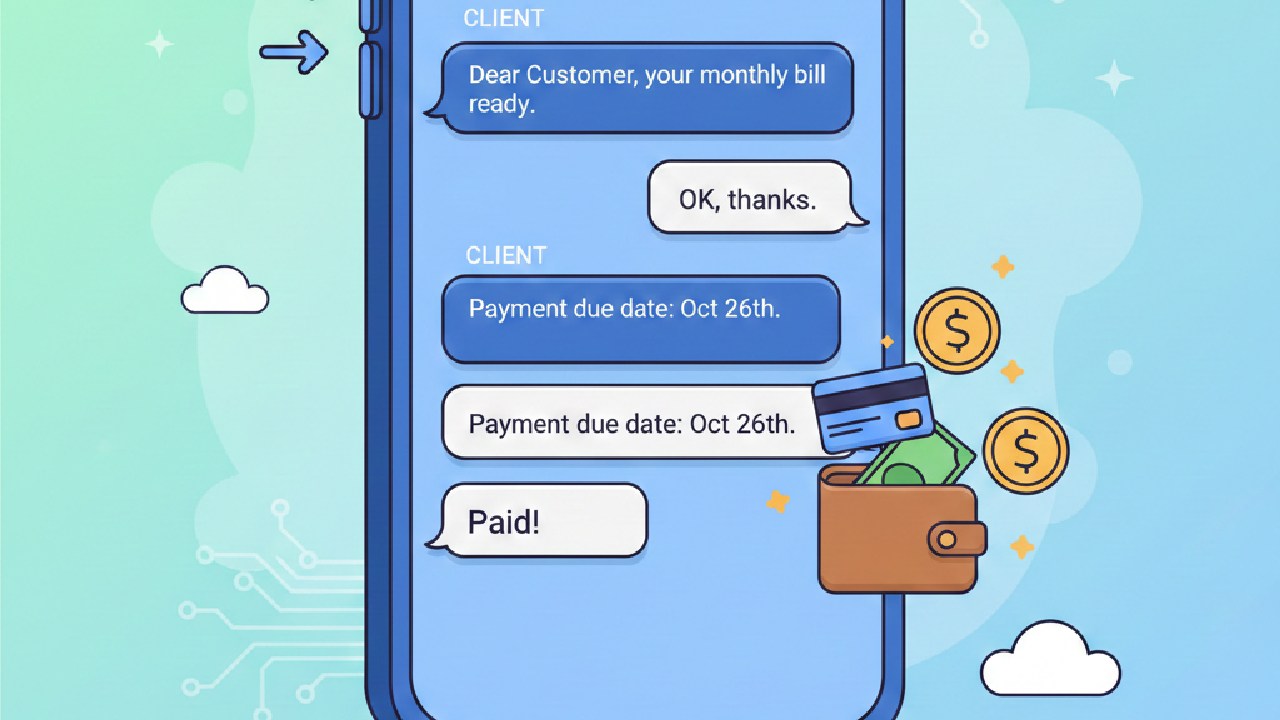
Status messages should say what changed and whether the customer must act.
5. Customer Reschedule Acknowledgment
[Business]: We received your REBOOK request for [Date] at [Time]. The original appointment remains [held/canceled] while our team contacts you by [Timeframe]. Ref: [Booking ID].
Do not leave the old booking state ambiguous. The correct wording depends on whether the system releases the slot immediately or waits for a staff member.
6. Provider-Initiated Time Change
[Business]: We need to move your [Date] appointment from [Old time] to [New time]. Reply ACCEPT to keep the new time or REBOOK for other options. We’re sorry for the change.
Name both the old and proposed time. A vague “your appointment changed” message forces the recipient to search elsewhere and can look suspicious.
7. Business Cancellation
[Business]: We’re sorry, but your appointment on [Date] at [Time] has been canceled because [brief reason]. No action or charge is required. Rebook at [Link] or call [Phone].
State the payment or fee outcome when relevant. Do not use the cancellation as a disguised promotion.
8. Missed Appointment Follow-Up
[Business]: We missed you today at [Time]. If you still need the appointment, request a new time at [Link] or call [Phone]. Any missed-visit policy is available at [Policy location].
Keep the tone neutral. The system may have incorrect attendance data, so avoid blame or an automatic fee threat before staff verify the event.
Close the Reply Loop
Every supported keyword needs an acknowledgment. For example:
[Business]: Your appointment on [Date] at [Time] is canceled. No further reminders will be sent for this booking. To schedule again, call [Phone].
Record the reply, update the calendar, suppress later reminders, and alert staff when automation cannot complete the request. A transactional SMS API implementation should treat those booking-state changes and suppression rules as part of the workflow, not as optional follow-up work. One stale final reminder after a cancellation can damage confidence in the whole system.
A waitlist message is another state, not a broadcast promotion:
[Business]: An appointment is available on [Date] at [Time]. Reply TAKE by [Deadline] to request it. The slot is confirmed only after you receive our confirmation.
This avoids promising one opening to multiple people and gives the system a deadline for moving to the next eligible customer.
Appointment Reminder Templates by Use Case
Keep each version tied to the same booking fields, then change the privacy level, preparation, and action for the service.
9. Healthcare Appointment Reminder
[Clinic]: Reminder for [First name]: appointment on [Date] at [Time], [Location]. Reply YES to confirm or call [Phone] to change it. For privacy, do not send medical details by reply.
HHS states that appointment reminders are part of treatment and may be made without a separate HIPAA authorization. Its appointment reminder FAQ does not remove the need for reasonable safeguards, correct recipient data, security review, and other applicable rules. Keep diagnosis, procedure detail, and sensitive instructions out of a lock-screen message when they are not necessary.
10. Salon or Spa Reminder
[Salon]: Hi [First name], your [Service] with [Staff name] is on [Date] at [Time]. Reply C to confirm or R to request a new time. Cancellation policy: [Short link].
Include the staff member only when it helps the customer recognize the booking. Send preparation details early if the service requires them.
11. Auto Service Reminder
[Garage]: Your [Vehicle] service is booked for [Date] at [Time]. Drop-off: [Address]. Reply WAIT if you’ll wait onsite or DROP if you’ll leave the vehicle. Questions: [Phone].
Use reply keywords only when the scheduling system can store the choice. Do not request payment card or identity details by SMS.
12. Video or Tutoring Session
[Business]: Your online [Session] starts [Date] at [Time] [Timezone]. Join from a private device: [Secure link]. The link opens [X] minutes before start. Need help? [Phone].
Display the timezone and describe when the link becomes active. Use an expiring, appointment-specific token when the session or portal contains private information.
These examples are starting copy. Review each text message template against the actual booking state, local requirements, and the information a lock-screen preview may expose.
Home-service businesses can adapt the same pattern by replacing a fixed time with an arrival window and a status link. Group classes should identify the class, location, and cancellation cutoff without revealing other attendees. When a guardian, caregiver, or assistant manages the booking, store that authority explicitly; do not infer it merely because the same number replied before.
Appointment Reminder SMS Best Practices
The copy and scheduling logic must agree. Use these checks before automation goes live:
- Identify the Sender: Put the organization name in the message so forwarded or lock-screen text remains recognizable.
- Validate Booking Fields: Confirm date, local time, timezone, location, appointment format, and status at send time.
- Limit Sensitive Detail: Include only what the recipient needs to recognize and manage the booking.
- Support Real Replies: Document YES, CANCEL, and REBOOK behavior, including unsupported words and staff escalation.
- Suppress Stale Messages: Stop queued reminders after cancellation, rescheduling, or completed attendance.
- Maintain Contact Data: Ask customers to update their number and monitor repeated delivery failures or wrong-number replies. Review the main causes of weak A2P SMS deliverability before treating every failed reminder as a copy problem.
- Provide a Fallback: Include a callable official number or secure portal when two-way automation fails.
- Separate Service and Marketing: Keep promotions out of operational reminders unless the message also meets the relevant marketing rules.
The service-versus-marketing distinction can change the compliance treatment. ICO guidance explains that a factual appointment reminder can be a service message, while adding promotional material can make it direct marketing. Check the rules for the recipient’s jurisdiction and have counsel review uncertain cases.
Healthcare organizations need extra care with recipients and proxies. NHS England Digital guidance says health messages should generally go to the person the service relates to, with limited exceptions for authorized proxies.
Measure the workflow, not a claimed open rate. Track delivery, confirmation, cancellation, reschedule, attendance, recovered slots, wrong-number reports, and support escalations. Compare the reminder sequence with a prior period or controlled group when feasible.
What to Look for in Appointment Reminder Software
Evaluate the workflow before comparing template libraries. The system should synchronize with the calendar or CRM, update the booking after valid replies, preserve the appointment timezone, suppress stale messages, expose delivery reports, and route failures or unsupported replies to staff. Also check customization, access controls, consent and opt-out handling, audit history, and data export. A polished reminder composer does not compensate for a calendar that stays unchanged after a customer cancels.
FAQ
How many appointment reminders should I send?
Start with confirmation plus one reminder. Add an earlier or same-day message only when lead time, preparation, or access details justify it. Stop requests after confirmation.
What if the customer does not reply?
Keep the booking state defined. Silence should not cancel an appointment unless that policy was clearly disclosed. Use a fallback call or staff queue for high-value or sensitive visits.
Should appointment reminders include an opt-out?
Requirements vary by message type and jurisdiction. Provide a preference route, and keep service messages free of promotions. Check the applicable local rules before launch.
Build the Reminder Around the Booking State
Confirm the appointment, request changes while the slot can be reused, and send only the final detail the recipient needs. Then close every reply loop.
SMSBoosting can support scheduled notification messages, delivery reports, and two-way appointment workflows across international destinations.


