

An SMS platform is a system that helps businesses send, identify, route, pace, and track text messages at scale across carriers and countries.
You sign up for an SMS provider, call an API, and see “10K SENT” in a dashboard… then reality hits: some messages arrive late, some don’t arrive at all, and you start hearing words like routes, sender ID, opt-out, and carrier filtering.
This guide is a beginner-friendly reset. No protocol deep dives. No “gotchas” drama. Just a clear picture of what an SMS platform does, what it usually includes, and what it cannot promise—so you can start sending business texts with fewer surprises.

The 30-Second Picture: What an SMS Platform Is
An SMS platform is the operational layer that helps a business send SMS at scale—it takes your message from “my app wants to text someone” to “the message is routed, identified, paced, and tracked as well as the network allows.”
It sits between your application and the mobile carrier ecosystem. It does not replace carriers—but it helps you work with them.
A quick analogy: your “dispatch center” for business texts
Think of it like a dispatch center. You bring the what (the message) and the who (the recipient). The platform organizes the how: which path to use, what identity the customer sees, how fast to send, and what status updates are available after the message leaves your system.
What an SMS Platform Helps You Do?
Send messages reliably at business scale
Sending one text from a phone is simple. Sending thousands or millions of texts responsibly is different. An SMS platform helps you manage the “business-scale” parts—batch sending, pacing, retries (when appropriate), and basic safeguards that reduce avoidable failures.
Keep sending consistent across countries and carriers
If you send across regions, SMS starts to feel like international shipping: rules, formats, and expectations vary. A platform helps you handle that variation—so “it worked last week” doesn’t turn into “why is it failing in this country?”
See what happened after you hit “send”
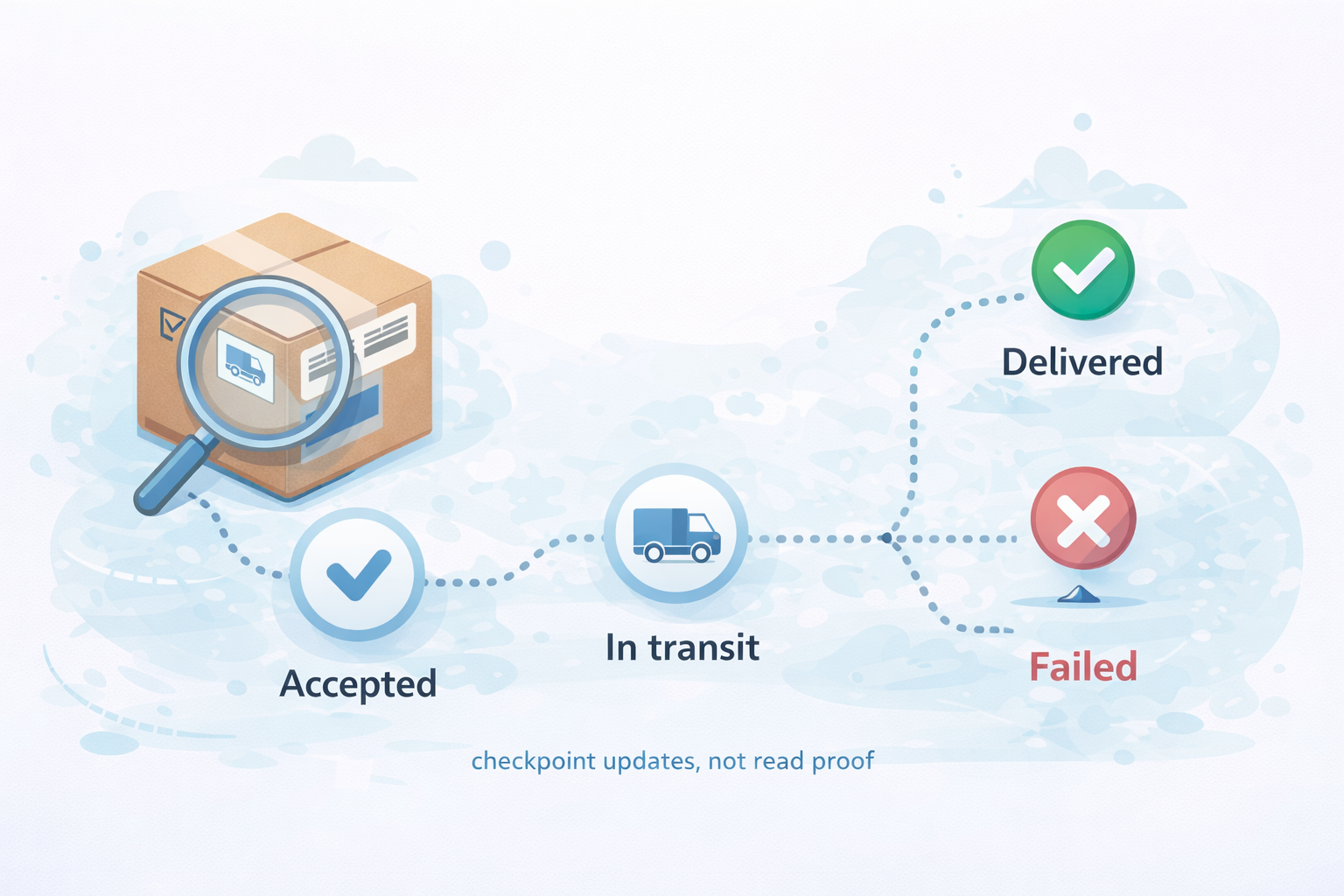
Beginners often expect perfect visibility. In real life, SMS visibility is more like package tracking: you get updates at certain checkpoints, not a live camera feed. A platform collects the status signals it can (like delivery receipts) and makes them usable for your team.
What’s Inside: The 5 Parts Most Beginners Actually Need
Routes & connectivity: the “roads” your texts travel on
Routes are the paths your message takes through partners and carrier connections—like choosing highways vs side roads. Different routes can affect speed, cost, and how messages are treated. Good platforms manage routes so you don’t have to “guess a road” every time you send.
We’ve seen teams hit 95% delivery one week and 60% the next—without changing copy or code—because routing changed underneath them.
Sender identity: what name/number the customer sees
Sender identity is your “caller ID” for texting. Depending on the country and use case, it might be a phone number, a short code, or an alphanumeric name. The platform helps you set this up and keep it consistent—because customers trust what they recognize.
Compliance basics: consent, opt-outs, and local rules
Compliance isn’t a legal lecture—it’s the simple reality that business texting has rules. The platform typically supports basics like opt-out handling (“STOP”), list management, and guidance on what’s allowed in different places. But you still own the biggest part: sending only to people who agreed to hear from you.
Delivery reporting: the “tracking updates” you can actually see
Delivery reporting tells you what happened up to a point—for example, whether a carrier reported “delivered” or “failed.” A platform turns those signals into dashboards, exports, and alerts so you can answer practical questions like: Did failures spike today? Did one country suddenly drop?
Pacing & retries: how platforms avoid flooding the network
Mobile networks don’t behave like a bottomless inbox. If you push too fast, you can trigger throttling, filtering, or congestion. Platforms help by controlling send rates and retry behavior—so your sending pattern looks stable and respectful, not chaotic.
This matters most during spikes—campaign launches, alerts, or sudden volume jumps—when problems usually appear.

What an SMS Platform Is Not?
Not a mobile carrier
An SMS platform is not the carrier that provides phone service. Carriers run the mobile networks and enforce their own policies. The platform works with that ecosystem to route messages—but it doesn’t “own the destination.”
Not a delivery guarantee
Even a great platform cannot guarantee every message will land. Why? Because carriers can filter, phones can be offline, inboxes can be full, and local rules can block certain traffic. What a good platform can do is increase your odds with better routing, better setup, and better monitoring.
Not a shortcut around local rules and filtering
If a country requires certain sender types, registrations, or content restrictions, there’s no magic bypass. A platform can help you comply and adapt—but it can’t rewrite carrier policy. Treat that as normal, not as a “platform failure.”
Tiny Glossary
A2P: business-to-person texting
A2P means messages sent by an application (a business system) to a person—like delivery updates, appointment reminders, promotions, or verification codes.
Route: the path your message takes
A route is simply the path your message follows through the messaging ecosystem—like a travel itinerary. Different itineraries can behave differently.
DLR: delivery status updates
A DLR (delivery receipt) is a status update that may say things like “delivered,” “failed,” or “pending.” It’s useful—but it’s not a mind-reader. It’s a checkpoint update, not proof of reading or clicking.
Sender ID: the label your customer recognizes
Sender ID is the name or number that shows up on the customer’s phone. It’s part identity, part trust signal. When it changes unexpectedly, engagement often drops—and support tickets often rise.
Common Ways Teams Use an SMS Platform
Transactional messages: alerts, updates, verification codes
Transactional SMS is the “information people asked for”: password resets, one-time codes, order updates, delivery notifications, and appointment reminders. The goal is clarity and timing, not persuasion.
Marketing messages: promos, reminders, retention nudges
Marketing SMS is about influence: a sale, a restock, a reminder, a renewal, a win-back offer. Here, frequency and relevance matter a lot—because SMS is personal and interruptions add up fast.
Two-way messaging: when replies matter
Two-way SMS lets customers reply (questions, confirmations, simple keywords). It sounds simple—and it can be—but it depends on the sender setup and local support. The platform typically provides tools to receive replies and route them to your team or system.
How to Tell If an SMS Platform Is a Good Fit
A reliable SMS platform usually shows a few consistent traits:
- Clear sender identity rules: not vague promises.
- Honest delivery reporting: no “100% guaranteed” language.
- Transparency around routing: even if details are abstracted.
- Real opt-out handling: not just a checkbox feature.
- Willingness to say no: especially when a setup won’t work in a specific country.
If everything sounds “automatic” and “effortless,” ask more questions.
Your First Week Setup: A Beginner-Friendly Path
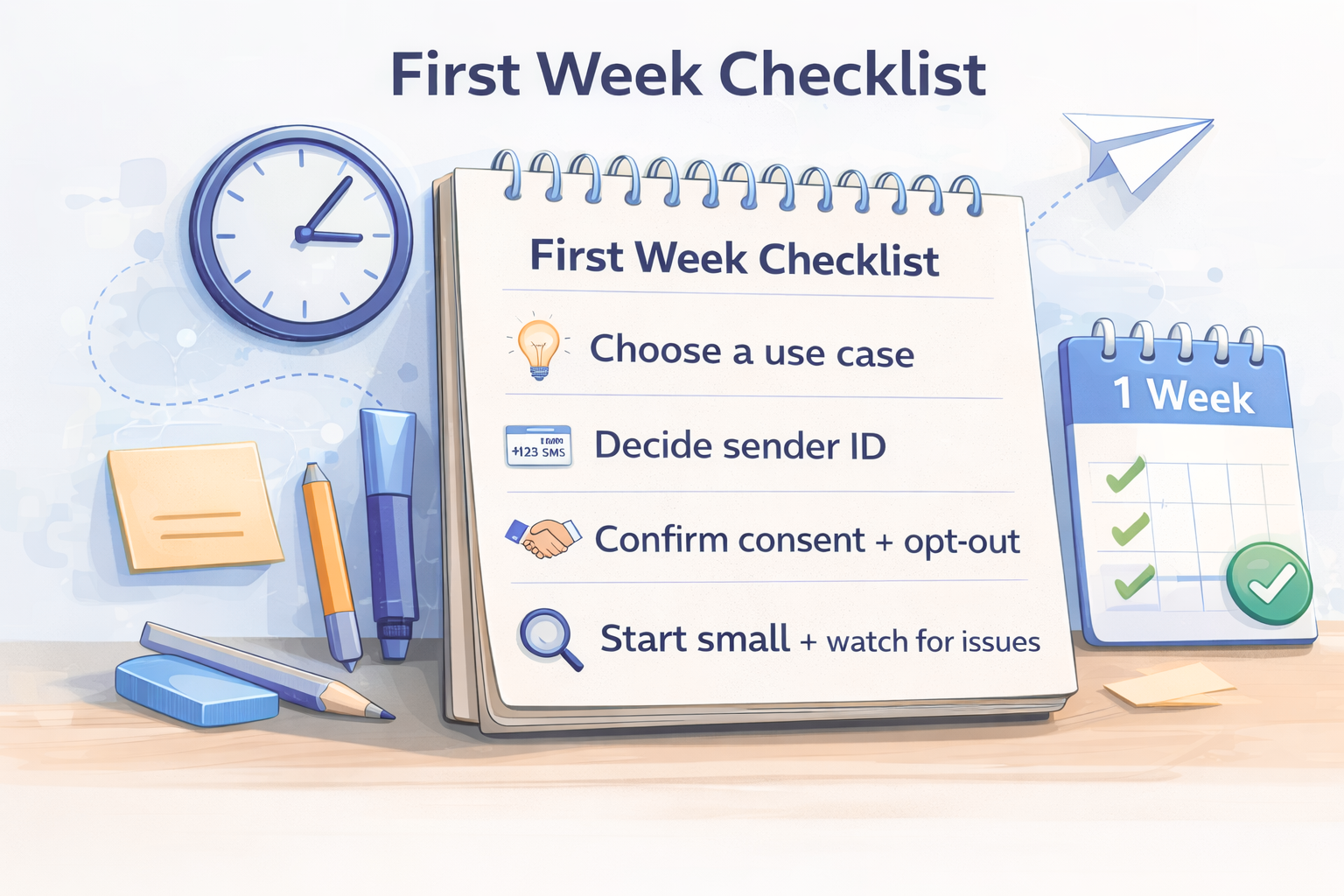
Choose one use case to start with
Pick one lane first: either transactional (alerts/updates) or marketing (promos). Mixing both on day one makes it harder to understand what’s working—and harder to keep the customer experience clean.
Decide your sender identity approach
Choose a sender identity your audience will recognize and your target region supports. Then keep it consistent. In practice, “consistent identity” often matters more than clever copy.
Confirm consent and an easy opt-out
Before you worry about deliverability, lock in the basics: you’re messaging people who agreed to hear from you, and they can stop messages easily. That single decision reduces complaints, filtering risk, and brand damage.
Start small, then watch the right signals
In week one, don’t chase perfection. Watch a few simple signals: send volume, failure rate, delivery status patterns, opt-outs, and support complaints. If something feels off, it usually is—so adjust early.
Improve by changing one thing at a time
The fastest way to learn is to change one variable at a time (sender setup, message type, timing window, list source, or routing strategy) and watch what moves. If you change everything at once, you learn nothing.
FAQs
Why do I see “sent” but users say they didn’t receive it?
“Sent” usually means your system handed the message off successfully. After that, carriers still decide how the message is handled. Phones can be offline, inboxes can be full, or traffic can be filtered. This is why routing choices, sender setup, and consent quality matter even when dashboards look normal.
Do I need a short code to start sending SMS?
Sometimes yes, sometimes no—it depends on your country, use case, and volume. Many teams start with a simpler sender option and upgrade when they need more throughput or brand consistency.
What should I measure first (before obsessing over “delivery rate”)?
Start with trends, not a single percentage. Watch failures over time, opt-outs, complaint signals (if available), and conversions tied to specific sends. A perfect delivery rate means little if engagement drops or complaints rise.
Why does SMS delivery sometimes drop suddenly without any obvious change?
Most sudden drops come from external changes: routing adjustments, carrier filtering behavior, sender reputation shifts, or traffic patterns that suddenly look unusual. If performance changes overnight, assume the environment changed before assuming your message content broke.
Next Step: A Quick Readiness Review
If you want a fast second opinion before you scale up, do a simple readiness review:
- Your first use case (transactional or marketing)
- Target countries
- Sender identity plan
- Consent and opt-out flow
- The 3–5 signals you’ll monitor in week one
That’s usually enough to prevent the most expensive beginner mistakes.



